Free & Open Source — Windows 10/11

RiftVault Your Entire
Skin Collection.
One View.

Browse every League of Legends skin you own — and every one you don't. Wishlist what you want, open the wiki and 3D models without leaving the app, and apply skins directly during champion select.

↓  Download for Windows ★  View on GitHub
RiftVault main application view showing skin collection with stats dashboard

Everything About Your Collection

A complete, beautiful, and local-first way to explore your League skin library.

🎭

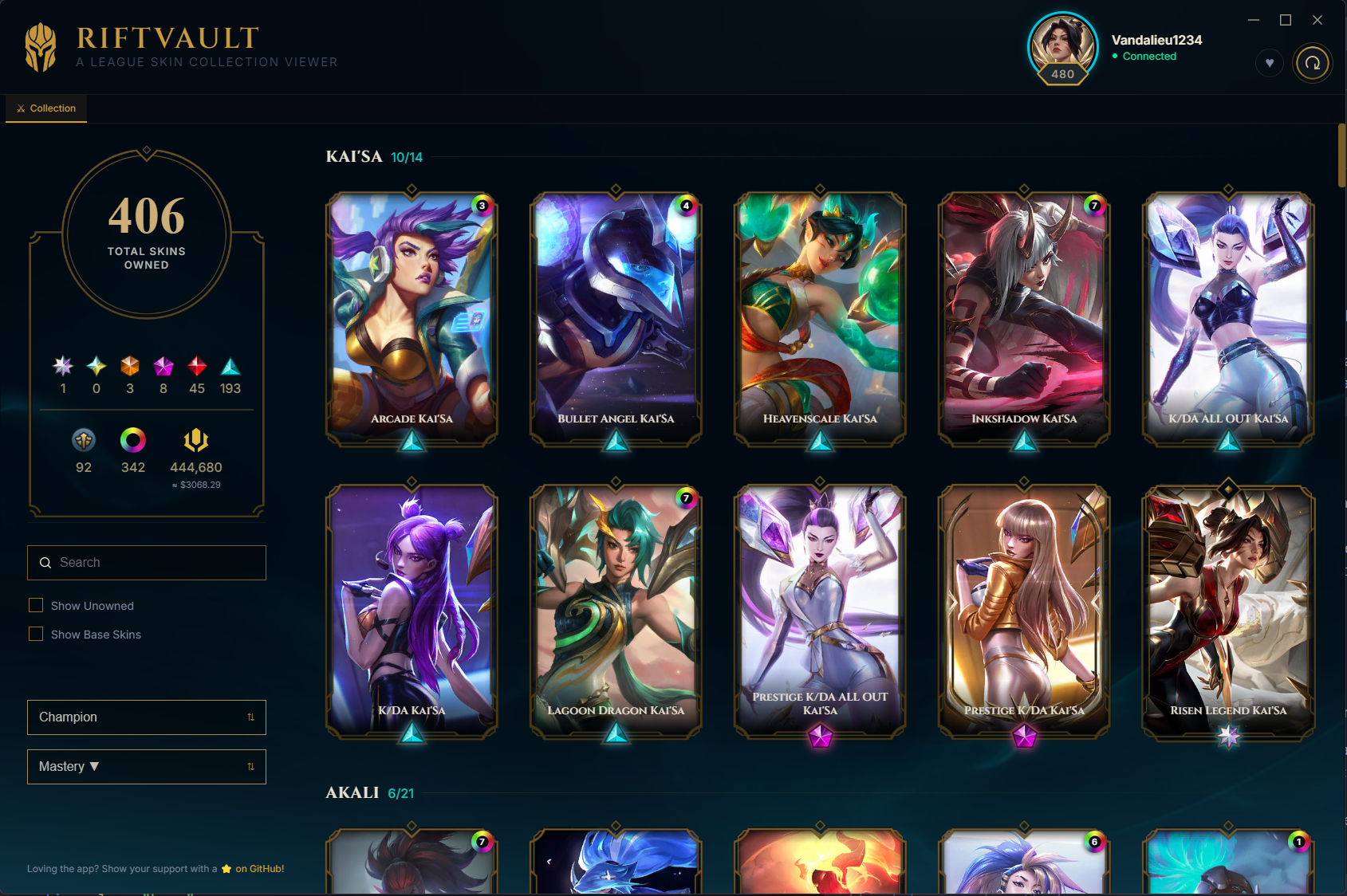
Full Collection View

Every skin for every champion, owned and unowned. Owned skins glow vibrantly; unowned ones show with a sleek lock overlay.

🎮

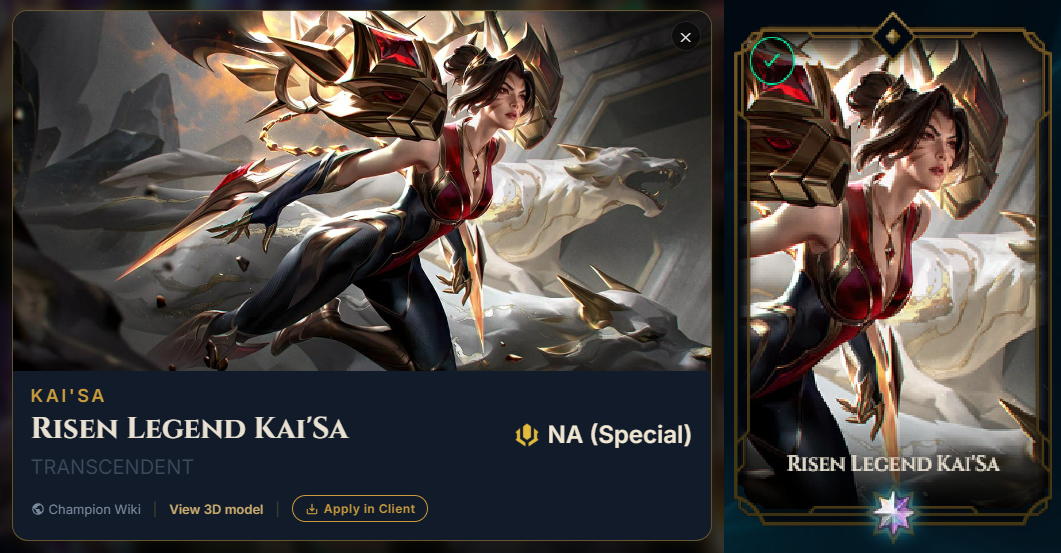
Apply In Champion Select

Lock in a champion and RiftVault shows contextual Apply buttons instantly. Switch skins mid-select with a single click.

📊

Stats Dashboard

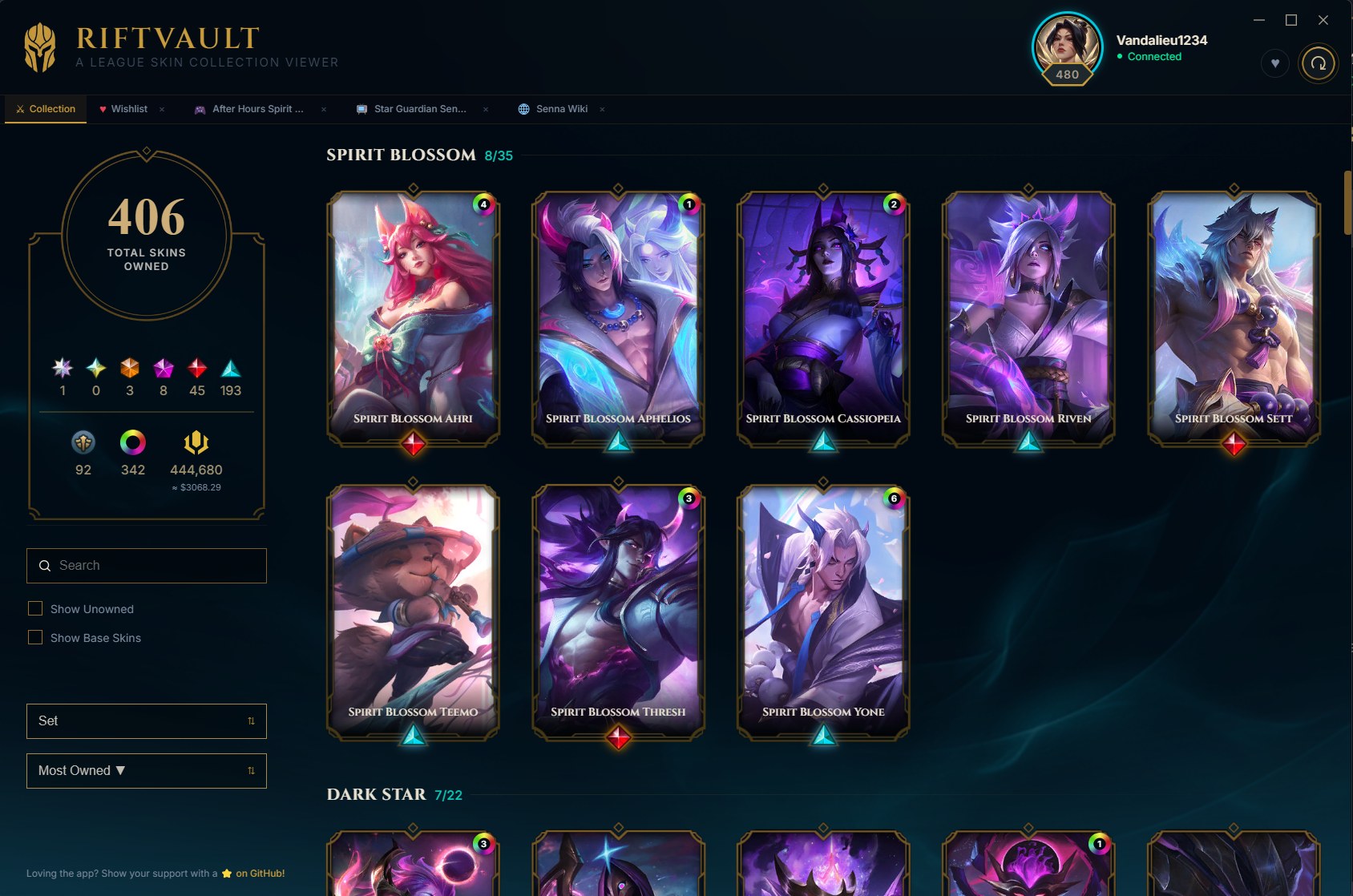
See your total skin count broken down by rarity — Transcendent, Ultimate, Legendary, Epic, and more. Track chromas too.

💎

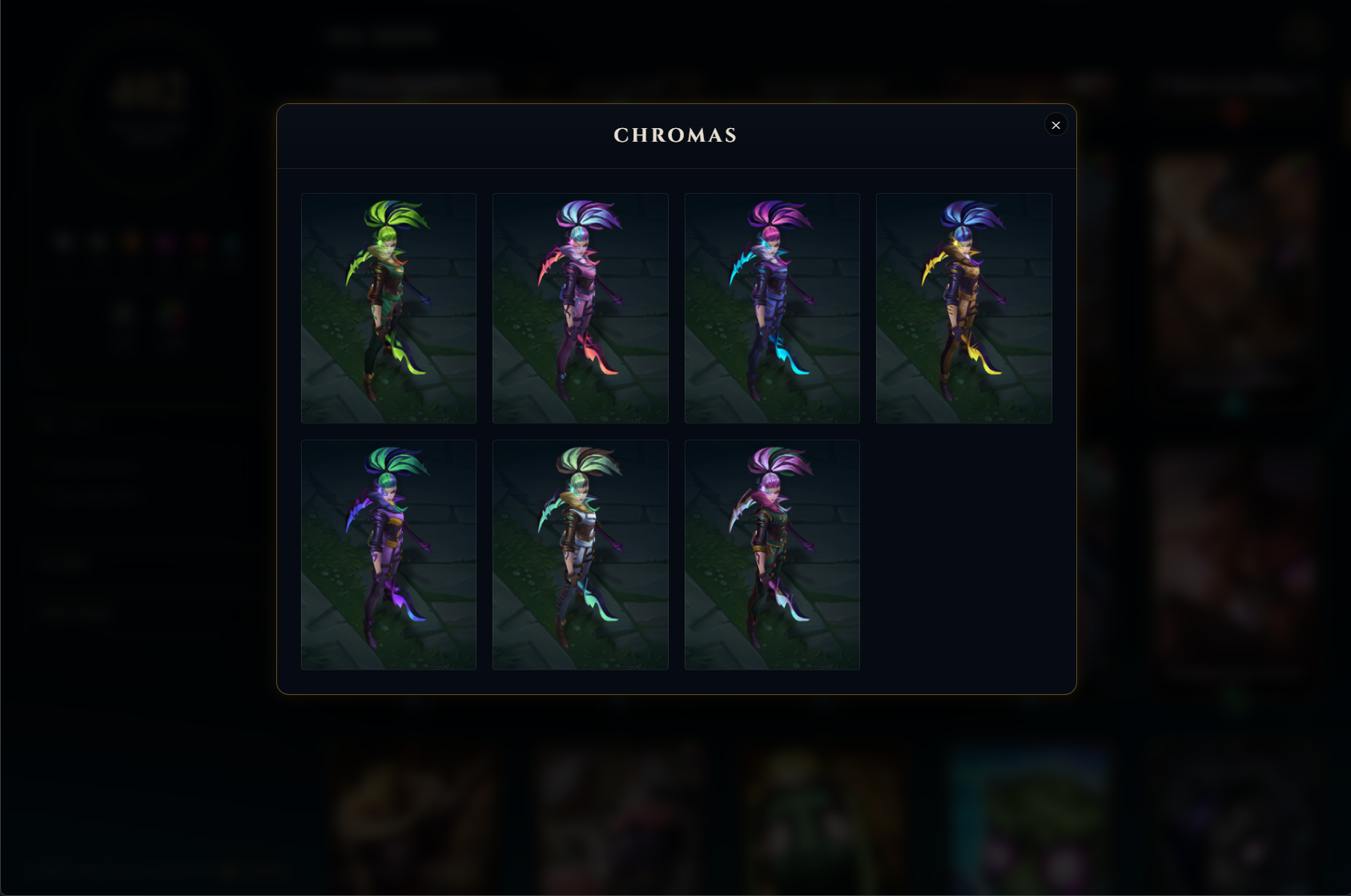
Chroma Gallery

Click any chroma badge to open a dedicated gallery modal showing every color variant — owned and unowned — from Riot's CDN.

💾

Offline Viewing

Your collection is cached locally in AppData. Browse all your skins anytime, even without the League client running.

🗂️

Smart Sorting & Grouping

Group by All, Champion, Set (skin line), or Tier. Sort by Mastery, Most Owned, Most Complete %, or alphabetically. Group headers light up at 100%.

❤️

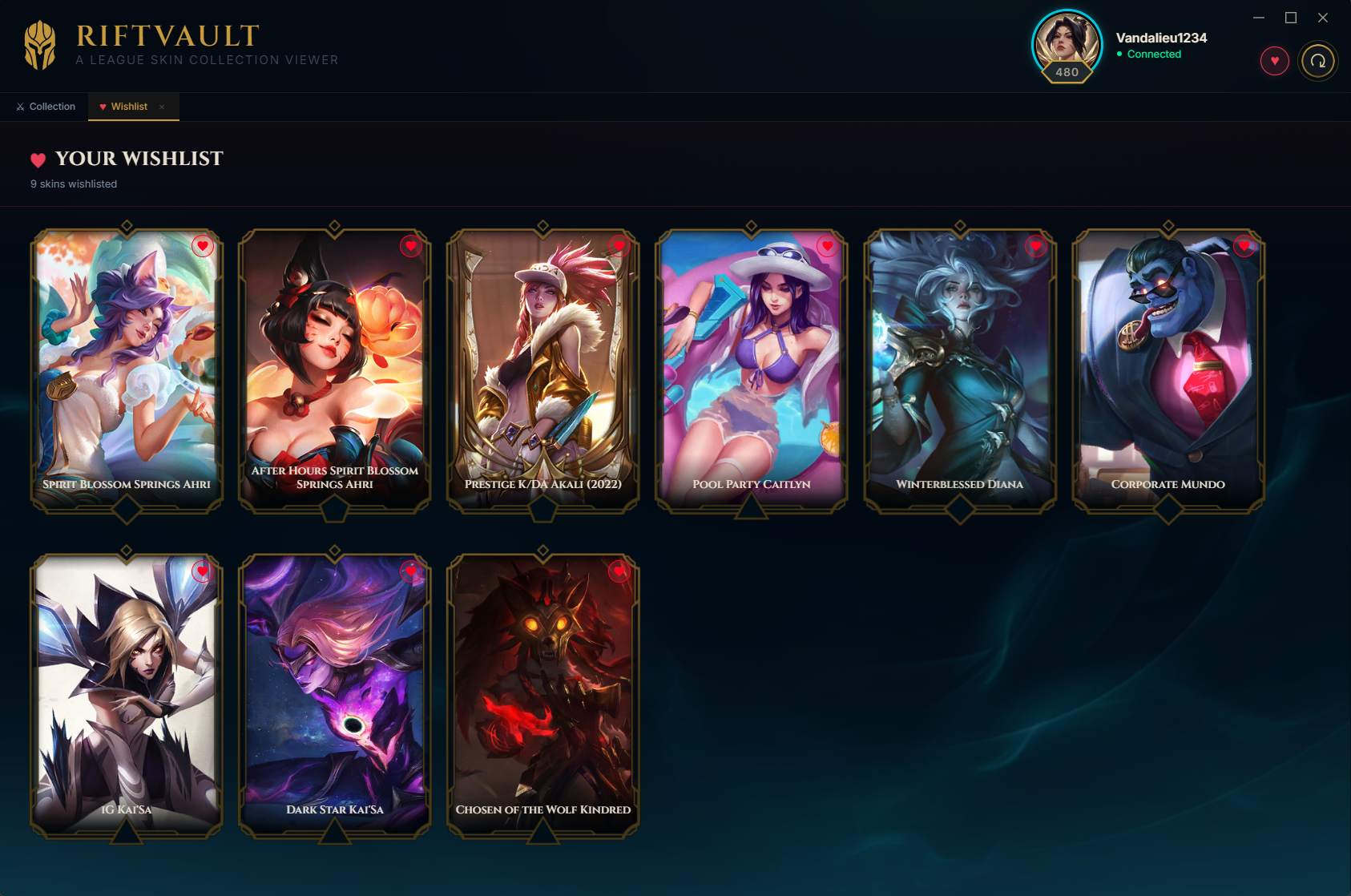
Wishlist

Heart any unowned skin to save it to your personal wishlist tab. The list persists locally and auto-prunes the moment you unlock a skin.

🌐

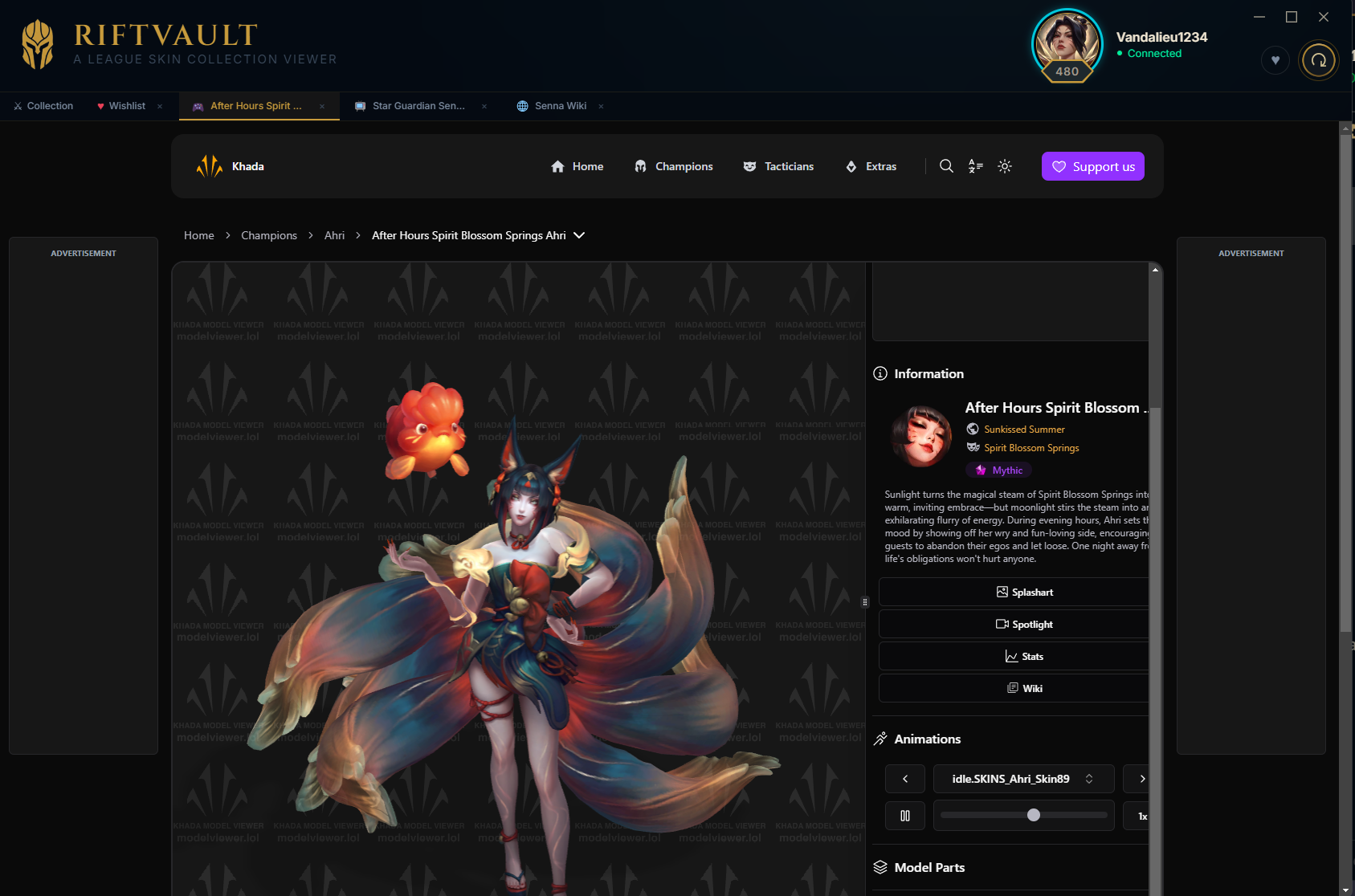
In-App Browser Tabs

Champion Wiki, Khada 3D model viewer, and Skin Spotlight YouTube searches all open as tabs inside RiftVault. No context switching.

💰

Collection RP Value

A live mini-stat that totals up the RP value of every owned skin in your collection — with an approximate USD equivalent right next to it.

🪟

System Tray

Closing the window minimizes RiftVault to the tray instead of quitting, so it's ready the moment your next champ select pops.
See RiftVault

A look at the features that set it apart.

RiftVault chroma gallery modal showing color variants for a skin

Chroma Gallery — every variant in one modal

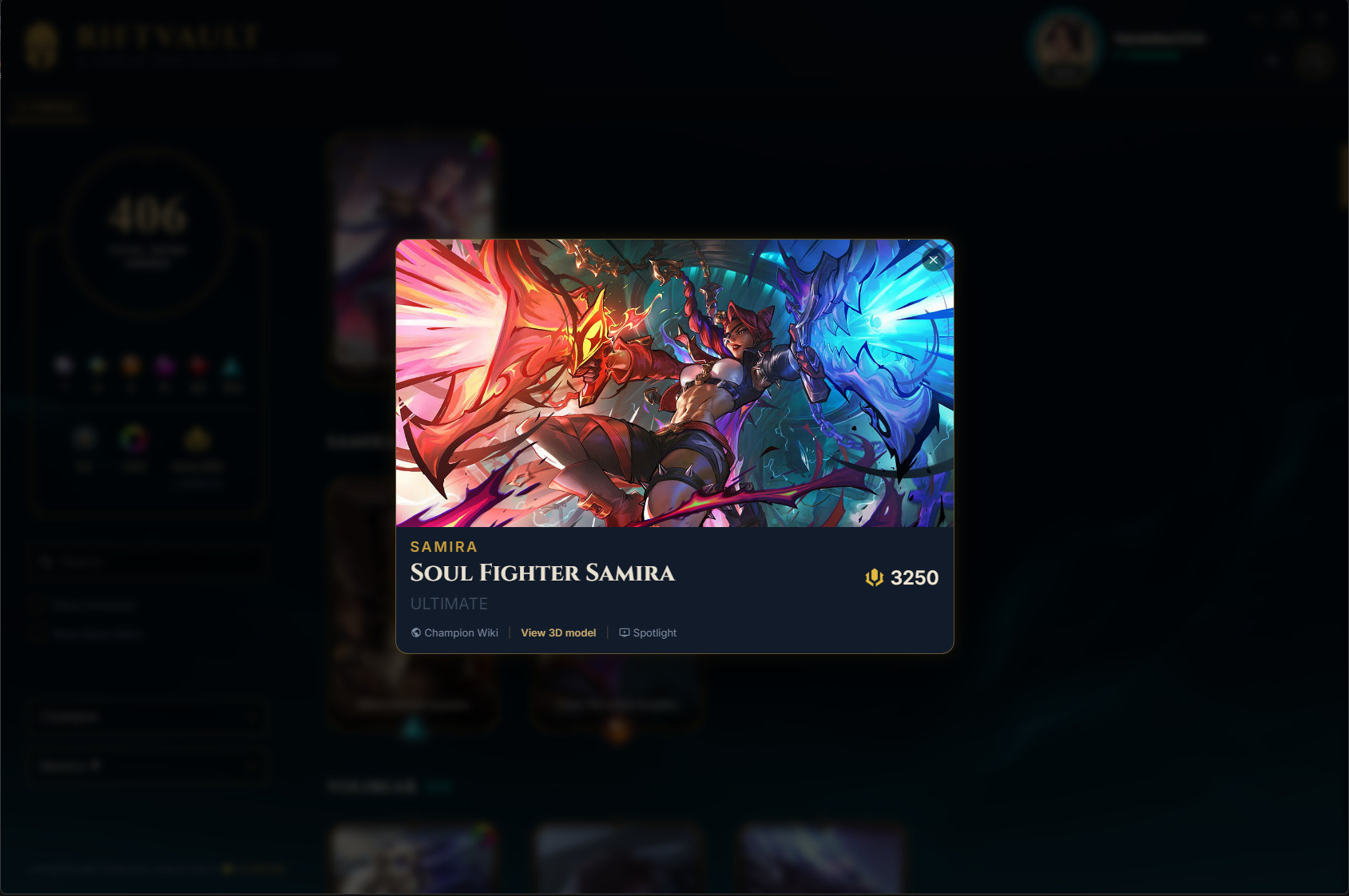
RiftVault skin card detail view with RP cost, 3D model link and wiki link

Skin Card — RP cost, 3D model viewer, wiki links

RiftVault apply skin in champion select during a League of Legends game

Apply Skin In-Client — swap skins during champion select

RiftVault wishlist tab showing unowned skins saved by the user

Wishlist — a dedicated tab for every skin you're chasing

RiftVault in-app browser tabs showing the Champion Wiki opened inside the application

In-App Tabs — Wiki, 3D viewer, and Skin Spotlight without leaving the app

RiftVault skins grouped by skin line with completion percentages

Group by Set — chase down themed skin lines with Most Complete % sort

How It Works

Fully local. No accounts, no servers, no data sent anywhere.

01

Client Detection

RiftVault uses PowerShell and WMI to locate your League lockfile across all drives and authenticate against the local LCU API — automatically, with no manual setup.

02

Inventory Fetch

Your owned skins, mastery points, and inventory data are pulled live from the League client's local API. Nothing is sent externally.

03

Asset Enrichment

Champion metadata, rarity classifications, and splash arts are pulled from Riot's Data Dragon CDN and CommunityDragon — cross-referenced for accuracy.

04

Local Cache

Everything is stored in your AppData directory for instant offline access. No cloud, no tracking, no accounts.

LCU API

League Client Update API — official local API that powers the client itself. Used for live inventory and champion select skin application.

Data Dragon (DDragon)

Riot's official CDN for champion metadata, tile splash arts, and profile icons. Always up-to-date with the latest patch.

CommunityDragon (CDragon)

Community-maintained data source for authoritative rarity classifications, vault/legacy status, skin-line metadata (powering the Set view), and UI assets not in DDragon.

Electron + Node.js

Cross-process desktop app built with Electron. Main process handles LCU comms and data aggregation; renderer handles all UI.

Ready to Explore Your Vault?

Download the latest release and have your full skin collection in front of you in under a minute. No setup, no login.

↓  Download Latest Release
Windows 10 / 11 Free forever MIT Licensed No account needed